
Introduction
Running one school and running a group of schools are different management problems.
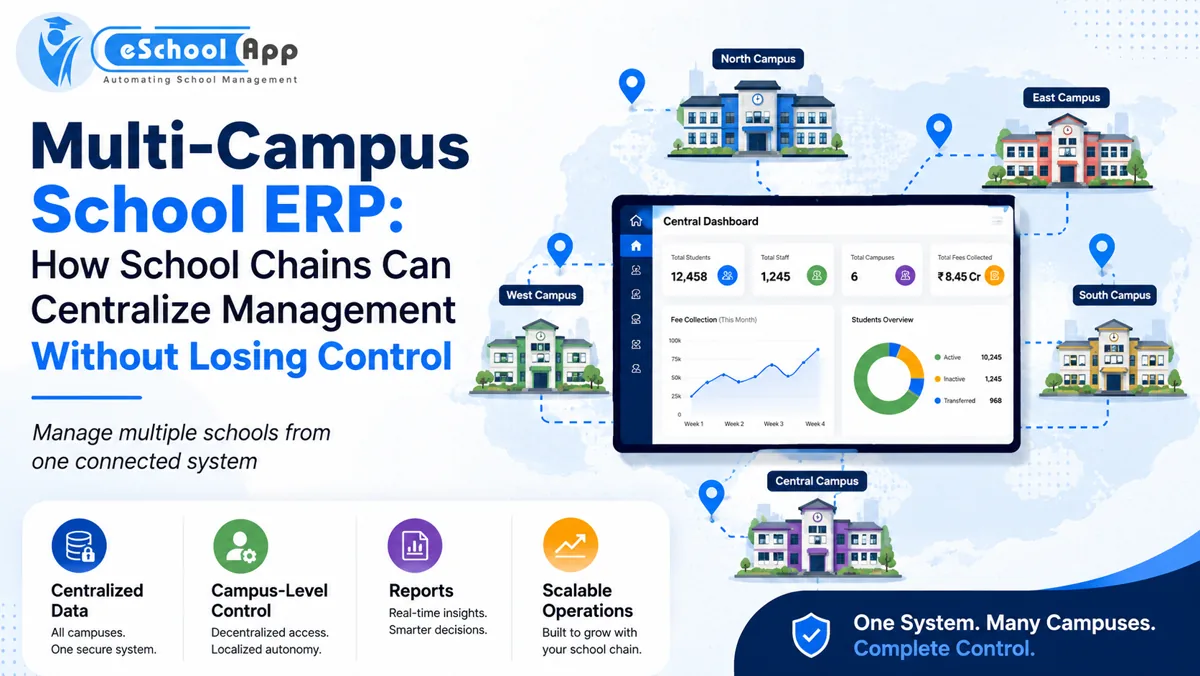
A single campus can often rely on local knowledge. A school chain needs consistent data, comparable reports, group policies and shared control – while still allowing each campus to handle its daily reality.
That balance is what a multi-campus school ERP should provide.
The wrong setup creates one of two extremes:
Everything is centralized, so campuses wait for head office to make routine changes.
Or everything is separate, so group management spends days combining spreadsheets from each campus.
A better design centralizes what should be common and delegates what should remain local.
On this page
- What Should Be Centralized?
- What Should Remain Campus-Controlled?
- Build a Permission Matrix Before Configuration
- Create One Data Model, Not One Giant Shared Database Screen
- Group MIS: Compare Without Losing Detail
- Admissions Across Multiple Campuses
- Fees and Finance
- Integrations and Hardware
- A Practical Rollout Strategy for School Chains
- How to Evaluate eSchoolApp for a School Group
- Frequently Asked Questions
- Final Thoughts
What Should Be Centralized?
Group-level data usually benefits from standardization.
Examples include:
- Academic year structure where common
- Common student/staff data standards
- Fee/reporting definitions used for group comparison
- User role templates
- Group-level management dashboards
- Integration standards
- Data security policies
- Common admission source definitions
- Standard report categories
The purpose is comparability. If each campus defines “active student,” “pending fee” or “admission conversion” differently, the group dashboard becomes misleading.
What Should Remain Campus-Controlled?
Campuses still need operational flexibility.
Depending on governance, local control may include:
- Class/section allocation
- Teacher assignments
- Timetable
- Campus-specific notices/events
- Local transport routes
- Day-to-day attendance follow-up
- Campus admission interactions
- Local inventory issuance
- Staff responsibilities
The central office should define policy and visibility without becoming a bottleneck for routine school work.
Build a Permission Matrix Before Configuration
Multi-campus ERP success depends heavily on permissions.
Define roles such as:
Group administrator: configuration and consolidated access.
Group management: read/report access across campuses with limited operational editing.
Campus principal: full access to the assigned campus.
Campus accounts: financial access only for assigned campus/role.
Teacher: academic access for assigned classes/subjects.
Transport user: routes/vehicles relevant to responsibilities.
Do not solve permission questions by giving senior users “super admin” access. Least-privilege design becomes more important as the group grows.
Create One Data Model, Not One Giant Shared Database Screen
Centralization does not mean every user sees everything in one list.
The ERP should preserve campus context. A student belongs to a campus, academic year and class. A payment belongs to the relevant student/account. A staff member may be assigned to one or multiple campuses according to policy.
Management should be able to filter and consolidate without making local users search through records from every branch.
Group MIS: Compare Without Losing Detail
Useful group reporting offers three levels:
- Group summary
- Campus comparison
- Campus detail
For example, group fee reporting should show total billed/collected, then campus-level figures, then the detailed student/account records to authorized users.
The same principle works for attendance, admissions, staffing and academic indicators.
Use the September “25 School MIS Reports” article to build the core group dashboard.
Admissions Across Multiple Campuses
School groups often run centralized marketing but campus-level counselling.
An enquiry may need to capture preferred campus while management still wants one view of campaign performance.
Define how enquiries are routed, transferred and counted. If a family initially chooses Campus A and later enrols at Campus B, the system should not count two independent admissions unless the reporting logic intentionally does so.
Fees and Finance
A group ERP should support the reporting structure the organisation actually uses.
Questions include:
- Are fee structures common or campus-specific?
- Does head office need consolidated collection reports?
- Who can create adjustments/refunds?
- Are payment gateways shared or separate?
- How are campus-level bank/settlement processes handled?
Do not assume “multi-campus” automatically means one bank account or one fee policy.
Integrations and Hardware
Different campuses may already own different biometric devices, GPS trackers or payment arrangements.
Before standardizing hardware, conduct an integration inventory. It may be cheaper to reuse compatible devices than replace everything for visual consistency.
Create a group integration policy for new purchases so future campuses do not add technology that cannot connect to the ERP.
A Practical Rollout Strategy for School Chains
Do not launch every campus simultaneously unless processes are already standardized and the project team is experienced.
A safer rollout is:
- Define group standards.
- Select a pilot campus that represents normal complexity.
- Configure and test shared processes.
- Document what genuinely needs local variation.
- Train group and campus administrators.
- Go live at pilot campus.
- Correct the template.
- Roll out additional campuses in controlled waves.
The 30-day school ERP implementation checklist can be adapted for each rollout wave.
How to Evaluate eSchoolApp for a School Group
eSchoolApp’s pricing page states that trusts/groups running several campuses are quoted as a group, and its product model uses shared school-management modules rather than unrelated tools.
For a multi-campus demo, do not accept only a single-school dashboard. Ask to see group-level and campus-filtered reporting, roles, switching between campuses and how common versus local configuration is handled for your specific use case.
Bring two or three representative campus scenarios to the demo.
Frequently Asked Questions
What is a multi-campus school ERP?
It is a school management platform designed to manage more than one school/campus while supporting appropriate central reporting and campus-level operations.
Should every campus use identical processes?
Not necessarily. Standardize definitions and processes that need group consistency, while allowing controlled local variation where operations genuinely differ.
Can a principal see another campus’s data?
Only if the role and governance model require it. Permissions should be explicitly configured.
Is multi-campus ERP only for large chains?
Even a two-campus school group can benefit if management needs shared reporting and consistent records.
Should school groups roll out all campuses at once?
A phased rollout is often safer because lessons from the pilot can improve the group template.
Final Thoughts
Multi-campus ERP is not about putting several schools behind one login.
It is about governance: one definition where consistency matters, local authority where daily operations need it, and reliable reporting that lets management move from group view to campus detail.
If your school group is evaluating ERP options, combine this article with the School ERP Pricing, ROI and MIS guides before requesting a demo.