
Student information module
Student Information System
One record per student — personal details, academic history, documents and family contacts — that every other module reads from. Stop hunting through files and spreadsheets to answer a simple question.
Set up in one day · the record every other module shares
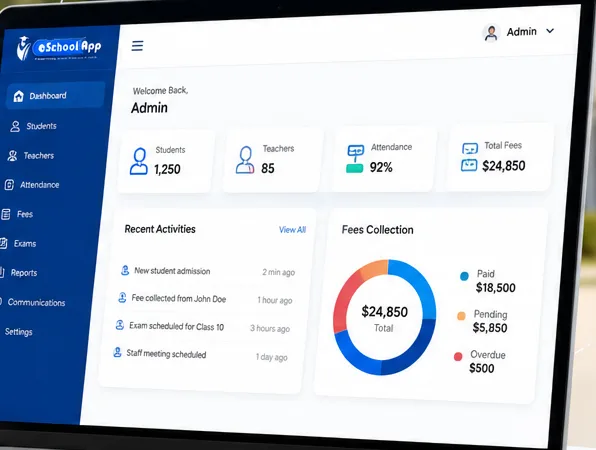
What the student information system holds
Student profiles
Personal details, class and section, guardian contacts and enrolment status.
Academic history
Marks, assessments and progress across years, not just the current term.
Documents
Birth certificates, transfer certificates and ID proofs stored against the record.
Role-based access
Staff see what their role requires — student data isn’t open to everyone.
Why one record matters
When student data lives in several places it drifts apart. One record means every module is reading the same truth.
- Attendance, fees and transport all point at the same student — no duplicate entry.
- A change of address or phone number updates everywhere at once.
- Report cards and transfer certificates draw from the record rather than being rebuilt.
- Answering a parent’s question takes a search, not a filing cabinet.
The cost of holding the same data in four places
Ask a school where a student’s date of birth is stored and the honest answer is usually three or four places: the admission file, the exam system, an office spreadsheet, and somebody’s own working copy. Each was correct when it was created. Over a year they drift, because a correction made in one place is rarely made in all of them.
The visible cost is the week somebody eventually spends reconciling them. The hidden cost is every decision made in between using whichever copy happened to be open, and every letter, report card or certificate that went out with a detail that no longer matched the file.
What to check in a student information system
- Do the other modules read from this record, or keep their own copies of the same fields?
- Are documents — birth certificates, transfer certificates, medical notes — attached to the student rather than filed separately?
- Is there a workable migration path from the spreadsheets and files you hold today?
- Can you find a student by any detail you actually remember, not just an admission number?
- Is the history retained — previous classes, past results, earlier contact details?
Migrating what you already have
This is the step schools most often underestimate. Existing records are typically spread across spreadsheets, a previous system and paper files, in formats that were never designed to be combined. Someone has to clean and map that data before it loads, and some records will not migrate cleanly.
Agree in advance what is being migrated, who is doing the work, and what happens to the records that do not come across neatly. Send us a sample of your current data and we will give you a straight assessment before you commit.
Common questions
Can we import our existing student data?
Yes — bringing existing records in is part of setup, which takes a day. Tell us what format your current data is in and we’ll handle it with you.
Who can see student information?
Access is role-based. Staff see what their role requires, parents see their own child, and administrators decide the rest.
Is this the same as a school ERP?
The student information system is the records core of a school ERP. eSchoolApp includes it alongside the other modules — you don’t buy it separately.
Does it work across several schools?
Yes. School groups can run records across campuses while keeping each school’s data distinct.
See it with your student data
Book a demo and we’ll show the records module using your classes and fields.