
Attendance module
Student Attendance Management System
Mark a full class in seconds — by biometric, RFID or app — and let parents know about an absence the same morning, not at the end of the week.
Set up in one day · biometric, RFID or app
Ways to mark attendance
Different schools work differently. Use whichever suits your gates, corridors and classrooms — or mix them.
Biometric
Fingerprint devices at entry points, for schools that want attendance without teacher time.
RFID cards
Card taps at the gate — fast for large schools with heavy morning traffic.
In the app
Teachers mark the register from a phone or tablet, with no hardware needed.
Reports
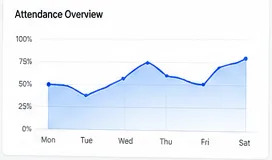
Monthly attendance per class and per student, ready when you need it.
Why same-day matters
An absence a parent hears about at 9am is a different conversation from one they hear about on Friday.
- Parents know their child arrived, without phoning the office.
- Registers stop being tallied by hand at the end of the day.
- Patterns of absence show up in reports rather than going unnoticed.
- Staff attendance feeds payroll instead of living in a separate register.
Why the register is the highest-leverage record in a school
Attendance is the one record created every single day, for every single student. That frequency is what makes it worth getting right: a small inefficiency in marking, collecting and tallying a register is paid for hundreds of times a year, and a delay in acting on it compounds just as fast.
When registers are marked on paper and collected at lunchtime, an absence is not actionable until the afternoon at the earliest, and a pattern of absence is not visible until somebody reads back through a term. By then the intervention that would have helped is weeks late.
What to check in an attendance module
- Can teachers mark a register without hardware, so you are not forced to buy devices before you start?
- Do absence alerts reach parents the same morning, automatically, rather than by phone from the office?
- Do alerts go by app, WhatsApp or SMS, so families without the app are still reached?
- Are patterns visible in reports, rather than only individual days?
- Does the same system cover staff attendance, so you are not running two registers?
Choosing between biometric, RFID and the app
None of these is better in the abstract; they suit different schools. App marking costs nothing extra and works everywhere, but uses a few minutes of teacher time each period. RFID cards are fast at a gate and suit schools with heavy morning traffic, though cards get lost. Biometric removes both the teacher time and the lost cards, but needs devices at entry points and a little more setup.
Many schools mix them — biometric at the gate, app in the classroom for period-wise marking. If you already own devices, tell us the make and model before buying anything new.
Common questions
Do we need biometric devices to use this?
No. Teachers can mark attendance in the app with no hardware at all. Biometric and RFID are options if you’d rather not use teacher time.
Can we use devices we already own?
eSchoolApp supports biometric and RFID devices, so tell us what you have before you buy anything new and we’ll confirm the fit.
Does it cover staff attendance too?
Yes — staff check-in and leave run through the same module, and feed into payroll rather than a separate register.
How do absence alerts reach parents?
By app notification, WhatsApp or SMS — whichever your school prefers to use.
See attendance running for your classes
Book a demo and we’ll show marking, alerts and reports with your class structure.