
Introduction
A school ERP can have an excellent admissions module, a good attendance screen and a modern parent app – and still create manual work every day.
The reason is often integration.
If an online payment does not update the student’s account, someone must reconcile it. If attendance devices do not sync, someone exports a file. If parents do not use the app, staff copy notices to WhatsApp. If GPS data sits in a separate system, the transport team has another login and another database.
That is why schools should evaluate the connections around an ERP as carefully as the modules inside it.
This guide explains the main school ERP integrations and the questions to ask before you commit.
On this page
- What Does “Integration” Actually Mean?
- 1. Payment Gateway Integration
- 2. WhatsApp and SMS Integration
- 3. Biometric and RFID Integration
- 4. GPS and School Transport Integration
- 5. Website and Admission Enquiry Integration
- 6. APIs and Third-Party Systems
- Integration Security Checklist
- How to Test Integrations During an ERP Demo
- How eSchoolApp Approaches Integrations
- Frequently Asked Questions
- Final Thoughts
What Does “Integration” Actually Mean?
Integration should mean more than placing two logos on a sales slide.
A useful integration moves the right data between systems with clear rules and failure handling.
For example, payment integration is not complete merely because a parent can click a payment link. The school also needs to know whether a successful payment is matched to the correct student, whether the fee balance updates, whether a receipt is generated and what happens when the gateway says “success” but the ERP has not received the confirmation.
Always test the end-to-end workflow.
1. Payment Gateway Integration
For schools, the valuable part of online payment is not the payment button. It is reconciliation.
Ask the ERP vendor:
- Does the payment reference map automatically to the student’s account?
- Does the fee balance update without re-entry?
- Are receipts generated from confirmed transactions?
- How are failed, pending and duplicate transactions handled?
- Can the accounts team see exceptions separately?
- Can online and offline payment modes coexist?
- What reports are available for settlement/reconciliation?
The payment provider may charge transaction fees independently of the ERP, so pricing should distinguish software cost from payment-processing cost.
2. WhatsApp and SMS Integration
Parents do not all use the same communication channel.
A school may use an app for detailed information, WhatsApp for high-read-rate notifications and SMS as a fallback for parents who do not use smartphones or data services consistently.
The integration question is whether messages are triggered from real school events.
Examples:
- Fee reminder from the student’s outstanding balance
- Absence alert from attendance
- Receipt notification after confirmed payment
- Holiday/event notice to selected classes
- Homework or timetable update
Ask whether delivery status is available and how failed messages are handled. Also confirm the commercial model for WhatsApp/SMS usage.
3. Biometric and RFID Integration
Schools may already own attendance devices, so “integration supported” should lead to a hardware compatibility discussion.
Ask:
- Which makes/models or protocols are supported?
- Can existing devices be reused?
- Is data pushed in real time or imported periodically?
- How is a device user mapped to the correct student/staff record?
- What happens if the device is offline?
- How are duplicate scans handled?
- Is the same attendance visible to parent alerts and reports?
Do not buy replacement hardware until compatibility has been checked.
4. GPS and School Transport Integration
GPS integration should connect location data with actual school transport operations.
The school needs routes, stops, vehicles and student allocations – not simply a dot moving on a map.
Questions include:
- Which GPS hardware is supported?
- Can the school reuse existing trackers?
- Who provides the SIM/connectivity?
- How frequently is location updated?
- What do parents see?
- How are vehicle and route changes managed?
- Is historical route information retained, and for how long?
Transport is also a good example of why permissions matter: parents should see the information relevant to their child, not unrestricted fleet data.
5. Website and Admission Enquiry Integration
The school website is often the first system a prospective parent touches.
If website enquiries arrive by email and are copied manually to an Excel sheet, the admission journey is already fragmented.
A useful website-to-ERP flow can capture an enquiry, source, programme/class interest and contact details into the admission workflow, then carry approved information forward when the applicant becomes a student.
Our September article on School Website + ERP Integration explores this workflow in detail.
6. APIs and Third-Party Systems
An API can make future integrations possible, but “we have an API” is not enough information.
Ask which operations are available, how authentication works, whether access is read-only or read/write, what rate limits exist, how errors are returned and whether documentation is provided.
Also clarify whether the vendor will support the integration or expects the school/third party to build and maintain it.
A small, specific API that supports your required workflow is more useful than a large undocumented API.
Integration Security Checklist
Every integration adds a data path.
Review:
- Authentication method
- Least-privilege access
- Encryption in transit
- API keys/secrets storage
- Audit logs
- Data fields shared
- Failure/retry logic
- Vendor/subprocessor responsibility
- Data retention
- Offboarding when the integration is removed
This is especially important when student or parent information leaves the core ERP.
How to Test Integrations During an ERP Demo
Bring real test cases.
Payments: make a test payment and watch it reach the student’s account.
Messaging: trigger an absence alert and confirm delivery flow.
Attendance: scan a test user or import a device event and verify the ERP record.
GPS: show a live or test vehicle and the parent-facing view.
Website/API: submit an enquiry and follow it into the admission pipeline.
Ask the vendor to show the failure path as well as the happy path. What happens when a payment is duplicated? When the device is offline? When a phone number is invalid?
Good integrations make exceptions visible instead of silently losing them.
How eSchoolApp Approaches Integrations
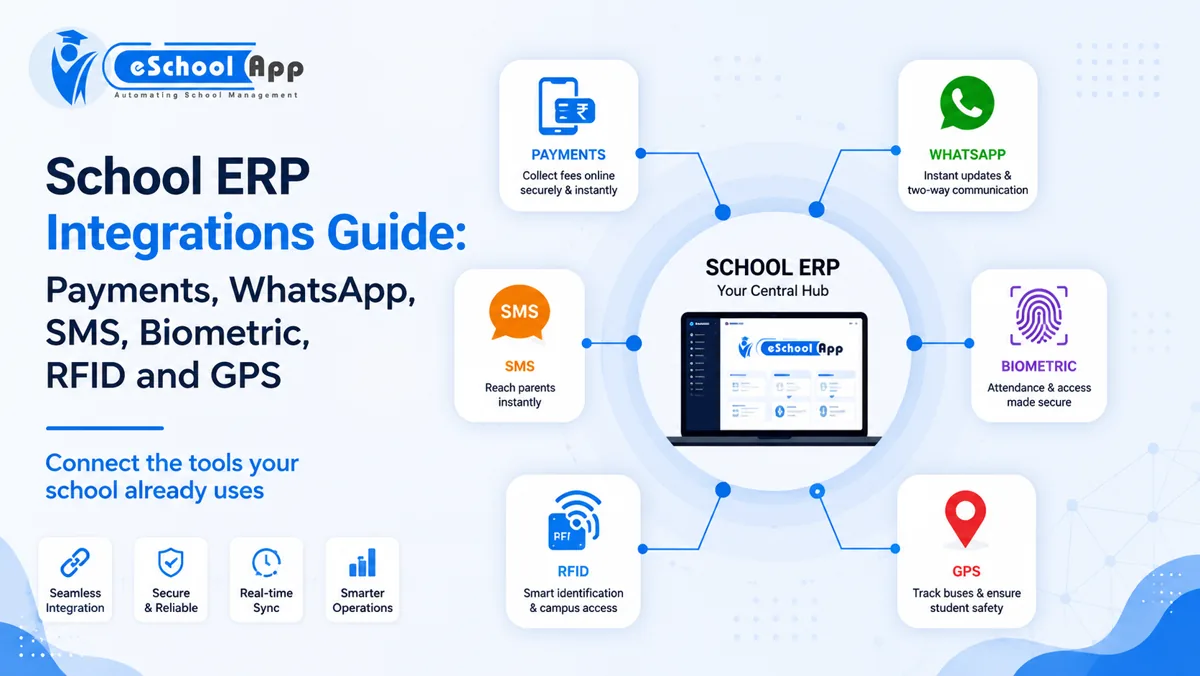
eSchoolApp’s current integrations page lists payment gateways, WhatsApp, SMS, biometric/RFID devices and GPS trackers as supported integration areas, and explicitly encourages schools to confirm the fit of their existing gateway and device models before committing.
That is the right evaluation approach: verify the actual device, provider and workflow instead of assuming every third-party product will work automatically.
During your demo, bring the make/model of attendance devices, the GPS vendor, payment gateway and messaging setup you already use.
Frequently Asked Questions
What integrations should a school ERP have?
The most common are payment gateways, parent messaging, attendance devices, GPS and website/API connections. The right list depends on what the school already uses.
Can an ERP integrate with old biometric devices?
Sometimes. Compatibility depends on the device and integration method. Verify the exact make and model before purchasing software or new hardware.
Is WhatsApp better than a parent app?
They solve different problems. Apps can provide rich self-service information, while WhatsApp or SMS can be effective for alerts. An integrated communication strategy may use more than one channel.
What is the most important payment integration feature?
For school operations, automatic matching/reconciliation to the correct student account is often more valuable than the payment button itself.
Should schools ask for API access?
If you have current or future systems that may need to exchange data, yes. Ask what the API actually supports and who will maintain the integration.
Final Thoughts
The strongest school ERP is not the one that tries to replace every product your school already owns.
It is the one that can connect the systems worth keeping, reduce re-entry and show staff when an integration needs attention.
Before buying, test the joins: payments to fees, attendance devices to records, messages to parents, GPS to routes, and website enquiries to admissions.
Book an eSchoolApp demo with your current devices and providers so the integration fit can be checked against real requirements.