
Introduction
A school office often spends the morning answering fee queries, informing parents about holidays and passing messages from teachers to families. When these tasks depend on someone remembering to send a message, important information can be delayed. Automated notifications for schools offer an alternative to this routine of manual follow-ups.
The idea is to connect routine communication with the activity that creates it. A payment should prompt a receipt, while a scheduled event should prompt a timely reminder. Staff can then spend more time dealing with queries that require individual attention.
Automation, however, needs clear rules and accurate records. Sending incorrect information automatically can create more work than sending no message at all.
On this page
- Identify Which Notifications Should Be Automated
- Connect Notifications to School Activities
- Give Fee Reminders and Receipts Special Attention
- Choose the Right Communication Channel
- Establish Rules Before Switching on Automation
- How eSchoolApp Notifications Can Be Evaluated
- Frequently Asked Questions
- Final Thoughts
Identify Which Notifications Should Be Automated
Start with messages that are repetitive, predictable and based on information already maintained by the school. These are usually easier to automate because staff do not need to make a fresh decision each time a message becomes due.
A fee reminder, for example, generally communicates an upcoming due date or an outstanding payment. Holiday announcements, event reminders and homework notifications are other routine communications worth considering. Each has a defined purpose and an identifiable audience.
Not every message belongs in an automated workflow. A discussion about a student’s academic difficulties, a disciplinary matter or a sensitive family situation requires judgement and personalised communication. Such matters should remain with the appropriate staff member.
Ask your administrative team to identify messages they repeatedly prepare during an ordinary school week. This exercise can help distinguish genuine opportunities for automation from communication that simply needs better coordination between departments.
Connect Notifications to School Activities
A useful notification should follow a relevant school activity or schedule rather than depend on an employee preparing a separate message. The underlying information should determine what gets communicated and when.
Consider a teacher assigning homework. Ideally, the relevant details should reach the intended families without the teacher having to repeat the same information across different communication groups. Similarly, an upcoming school event can have a planned reminder based on its scheduled date.
Changes to school activities need equal attention. If an event is postponed after a reminder has been planned, the administration should establish how outdated messages will be prevented from reaching parents.
The school should also decide which department is responsible for maintaining the information behind each notification. Teachers may maintain homework details, the accounts department may handle fee information, and the administrative office may maintain the holiday calendar. Clear ownership helps prevent contradictory messages.
Give Fee Reminders and Receipts Special Attention
Fee communication is particularly suitable for automation because it follows identifiable payment dates and transactions. It is also an area where incorrect messages can damage parents’ confidence in school administration.
A reminder should reflect the student’s actual payment position. Parents who have already paid should not receive unnecessary requests for payment simply because the accounts department has not updated a separate communication list.
Receipts need similar care. When parents pay online, receiving the corresponding receipt helps them check that their payment has been recorded. Schools should define how staff will handle pending transactions, failed payments and payments that require further verification.
The accounts team should agree on a reminder schedule and decide how exceptions, such as approved payment extensions, will be handled. A reminder should communicate useful information without repeatedly contacting a family about the same issue.
For a broader approach to organising payment follow-ups, read Fee Collection Without the Month-End Chase when reviewing the school’s accounts procedures.
Choose the Right Communication Channel
Schools should choose communication channels according to the nature of the message and the needs of their parent community. Automatically sending every notification through every available channel can create unnecessary repetition.
WhatsApp may be convenient for parents who regularly use it, while SMS can be useful for families who prefer conventional text messages. Schools using a parent app should consider whether families check it regularly before relying on it for important notices.
The language of the notification matters as much as the channel. A short message explaining what has happened, when it applies and whether the parent needs to act is generally more useful than a lengthy announcement.
Keep sensitive student information out of messages where it is not necessary. The administration should also maintain current contact details and establish a process for handling situations where a parent reports that important communications are not reaching them.
Establish Rules Before Switching on Automation
Automation should begin with an agreed communication policy. Decide which messages can be sent automatically, who maintains the source information and which situations require staff approval before communication takes place.
Timing deserves particular attention. Routine reminders should reach families at reasonable hours, while urgent school announcements may require a different approach. The administration should also agree on how to communicate cancellations and corrections.
Accurate student records are essential. An outdated mobile number, incorrect class assignment or unresolved fee entry can make an otherwise appropriate notification unsuitable for its intended recipient.
Test routine scenarios before introducing automation across the school. Include examples involving revised homework, postponed events and recently completed fee payments. Ask staff to check the actual messages received and establish how they will investigate mistakes or reported delivery problems.
How eSchoolApp Notifications Can Be Evaluated
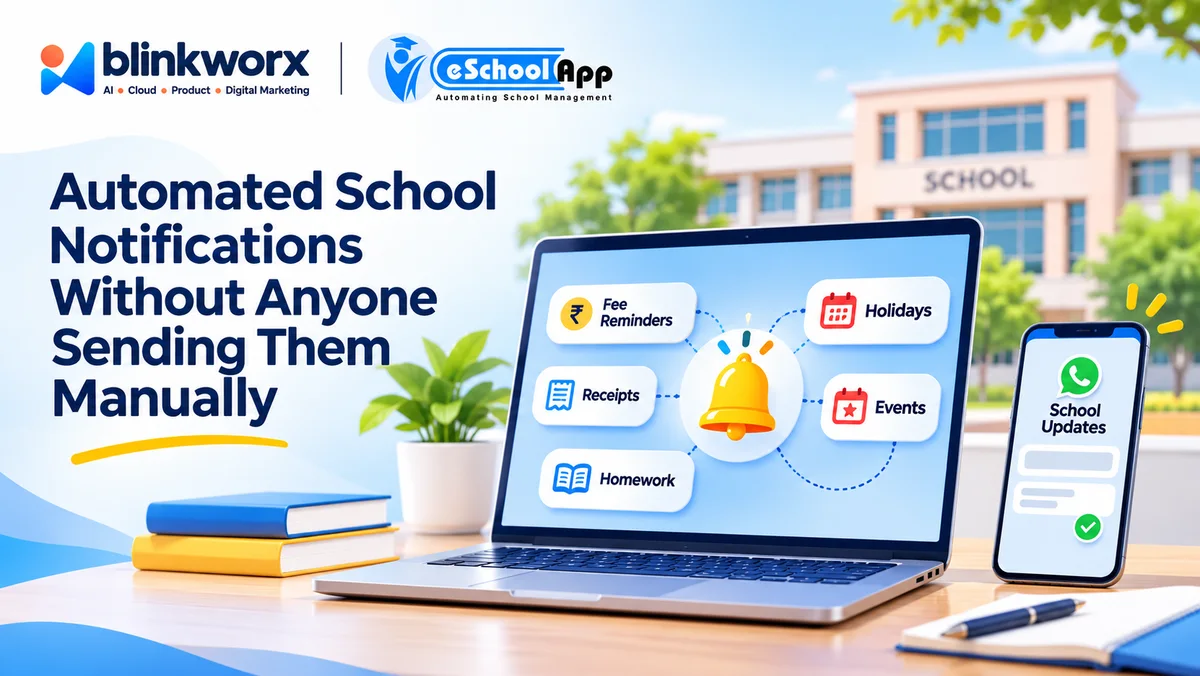
When evaluating eSchoolApp, ask to see its automatic notifications for fees, receipts, holidays, events and homework. Request a demonstration using sample student records rather than relying only on a description of the available functionality.
The school could test an online fee payment through a payment gateway and examine the associated receipt and reminder process. Ask how reminders behave after a payment is recorded and whether the available settings accommodate the school’s existing fee procedures.
WhatsApp and SMS integrations are available. During the demonstration, clarify which notifications can use each channel, what configuration is required and how staff can investigate a message that a parent says was not received.
One shared student record underlies the modules. Ask the team to correct a sample parent’s contact detail once and check whether subsequent notifications use the corrected information. This is a practical way to assess record consistency and avoid maintaining separate contact lists unnecessarily.
Frequently Asked Questions
Can schools automate notifications without replacing personal communication?
Yes. Routine reminders and announcements can be automated while teachers and administrators continue to handle sensitive matters and individual parent queries personally.
Which school notifications should be automated first?
Start with predictable communications such as fee reminders, payment receipts, holidays and scheduled events. Homework notifications can also be considered where the underlying information is consistently maintained.
Can automated fee reminders be sent to parents who have already paid?
This can happen when payment information is outdated or the reminder process does not account for recent transactions. Schools should test payment-related scenarios and establish procedures for correcting discrepancies.
Should schools send every automated message through WhatsApp and SMS?
Not necessarily. Choose channels according to message importance, parent preferences and accessibility. Avoid unnecessary duplication unless there is a clear reason for using multiple channels.
Does automation remove the need for school staff to monitor communication?
No. Staff still need to maintain accurate records, review communication practices and resolve exceptions. Automation changes how routine messages are prepared and sent, not who is accountable for their accuracy.
Final Thoughts
Automating school notifications is primarily an administrative decision, not just a software decision. It requires reliable information, agreed responsibilities and a clear understanding of what parents need to know.
Begin with routine messages that consume staff time and follow predictable patterns. Review the communication process before extending automation to more activities.
The objective is to make everyday information easier to manage while preserving personal communication where it matters. For a wider view of organising notices and parent updates, explore School Parent Communication.