
Introduction
A parent informs the school office that their mobile number has changed. The receptionist updates the admission register, but the accounts department and transport coordinator continue using the old number. A school ERP student record should address this problem by giving different departments a common source of student information.
The difficulty is not simply that schools maintain too many records. It is that several departments may maintain different versions of information about the same child. When those versions disagree, staff spend time checking which one is correct.
School leaders evaluating an ERP should therefore examine how student information is maintained across departments, rather than looking at each module in isolation.
On this page
- Why separate student records create problems
- What belongs in a shared student record
- How corrections should reach different departments
- Keeping student history intact across academic years
- Connecting external systems to the right student
- How eSchoolApp Record Design Can Be Evaluated
- Frequently Asked Questions
- Final Thoughts
Why separate student records create problems
Separate records make routine administrative work unnecessarily complicated. The admission team may maintain a spreadsheet, the accounts team may work with another database, and teachers may refer to independently prepared class lists.
Consider a student who moves from one section to another during the academic session. If every department maintains its own student list, the change must be communicated and entered repeatedly. Until that happens, the student’s details may appear differently depending on which department is consulted.
These inconsistencies become particularly difficult to manage during examinations, admissions and fee collection periods. Staff already handling deadlines must also reconcile information before completing their regular work.
A shared record changes the starting point. Departments refer to the same underlying student identity while maintaining the information relevant to their own responsibilities. The school office no longer needs to treat every routine correction as a separate data entry exercise for each department.
What belongs in a shared student record
The common student record should contain information that identifies the child and supports their relationship with the school. Schools should distinguish between information shared across departments and information maintained for specific administrative purposes.
When planning a student record, consider the following categories:
- Student identity, including name, admission number and date of birth.
- Academic placement, including class, section and academic session.
- Parent and guardian details, including contact information.
- Admission documents and supporting records.
- Historical information, including previous academic placements and relevant changes.
Not every employee needs access to all these details. A transport coordinator may require contact and route information, while an academic coordinator may need information about the student’s class and section. Sensitive documents should remain accessible only to appropriately authorised staff.
A common record is therefore not the same as unrestricted access. Schools should establish who can view, verify and amend different categories of information before introducing a new system.
How corrections should reach different departments
A correction should be made at the source rather than repeated independently across several modules. This is one of the most useful principles to test when evaluating school management software.
For example, suppose a parent submits a request to correct the spelling of a student’s name. An authorised employee should verify the request and update the relevant record. Other departments should then be able to refer to the corrected name wherever current student information is required.
However, schools must distinguish between correcting an existing detail and changing a historical fact. A name correction may need to appear across current records, while a section transfer should not erase the student’s earlier academic placement. Previously issued documents may require a separate correction or reissue process.
During implementation, establish an approval process for important changes. Staff should know which department is responsible for verifying supporting documents and who should handle discrepancies reported by parents.
Keeping student history intact across academic years
A student’s record should continue beyond the current academic session. Changes in class, section or contact information should not require the school to create an unrelated identity for the same child.
This matters when a parent requests an earlier report, an administrator checks admission documents or the office needs to review a student’s previous academic placement. If records are recreated annually without a reliable connection to the original identity, retrieving historical information becomes more difficult.
Schools should also plan how they handle withdrawals, transfers and students who return after leaving. An admission number or another stable identifier can help staff distinguish returning students from genuinely new admissions.
Before moving to a new ERP, review existing student lists for duplicates and conflicting details. Decide which records are authoritative, correct known errors and preserve relevant historical information. Importing inconsistent data into a common system does not automatically resolve the inconsistencies.
Connecting external systems to the right student
External systems are useful only when their information can be associated with the correct student. A payment transaction or attendance entry becomes harder to interpret if the identity used by an external service does not match the school’s records.
Schools should examine how identifiers are mapped whenever payment services, communication channels, attendance devices or transport systems are connected to an ERP. They should also consider what happens when an identifier changes or an external service returns incomplete information.
Ask the implementation team how mismatched records are identified and investigated. A school should have a defined procedure for reviewing exceptions before accepting information that could affect a student’s account or attendance record.
The responsibility for accurate information remains shared between the school and its service providers. Integration alone cannot replace verification, clear ownership or routine administrative checks.
How eSchoolApp Record Design Can Be Evaluated
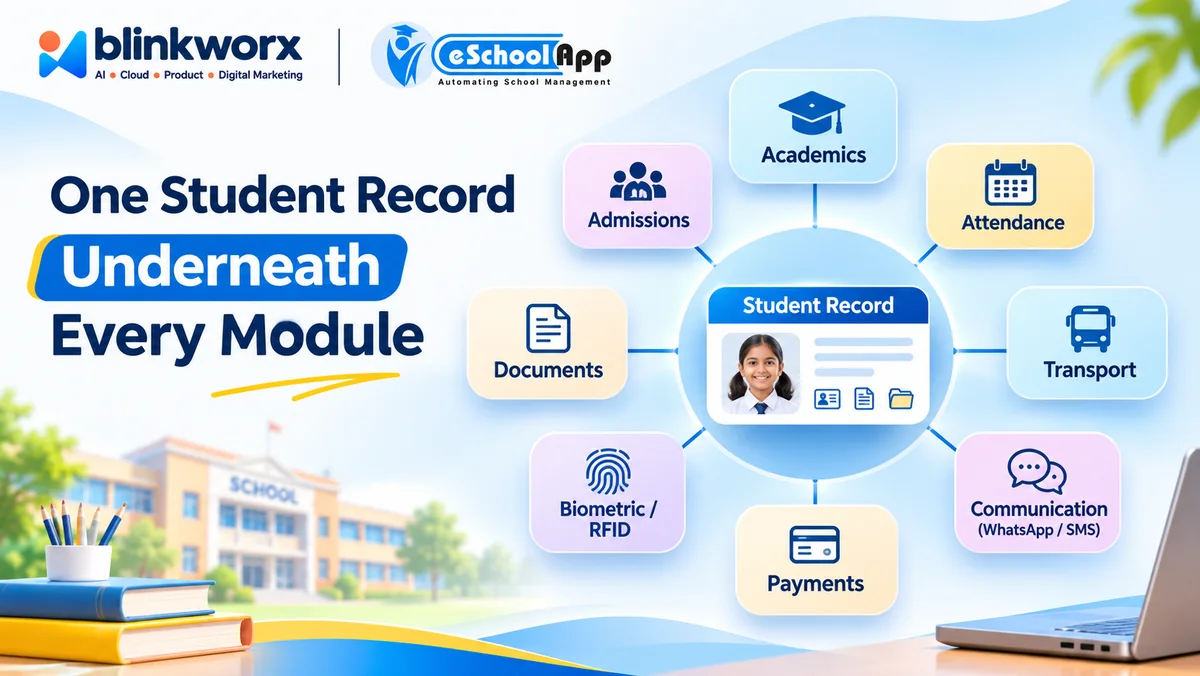
The eSchoolApp record design uses a shared student record underneath its modules, so a corrected detail is reflected across them. Its Student Information System brings student records, history and documents together. Schools should examine this arrangement using examples from their own daily work.
During a demonstration, ask the vendor to create a sample student and show where that student’s information appears across relevant modules. Then request a correction to a contact detail and check whether the updated information is reflected without repeated entry.
Available integrations include payment gateways, WhatsApp and SMS, biometric and RFID devices, and GPS trackers. Ask how the integrations relevant to your school are associated with student information and how exceptions are handled.
When reviewing every eSchoolApp module, focus on the connection between departmental activities and the underlying student identity. Request demonstrations of access permissions, historical record handling and correction procedures rather than assuming that these requirements are covered. Use the findings to decide whether the design matches your school’s administrative processes.
Frequently Asked Questions
What is a school ERP student record?
It is a digital record that brings together information associated with a student’s identity. In a shared record design, different modules refer to that common identity instead of maintaining unrelated versions of basic student details.
Does a shared record mean every employee can see all student information?
No. Sharing an underlying record does not require unrestricted access. Schools should evaluate whether permissions match the responsibilities of teaching, accounts and administrative staff.
Can existing student spreadsheets be used when adopting an ERP?
Schools can prepare existing spreadsheets for migration, subject to the system’s import capabilities. Duplicate entries, missing identifiers and inconsistent details should be reviewed before migration begins.
Should a student’s record be recreated every academic year?
Generally, the student’s underlying identity should remain consistent. Academic placement can change with each session while earlier information remains available according to the school’s record retention requirements.
Who should be responsible for correcting student information?
The school should assign responsibility to authorised staff, usually based on the type of information being corrected. Requests involving identity or official documents may require additional verification before approval.
Final Thoughts
A school ERP is easier to evaluate when administrators look beyond individual module demonstrations. The way student records connect those modules deserves equal attention.
Start by identifying where your school currently enters the same information repeatedly. Review which departments experience discrepancies and establish clear responsibility for correcting the source records.
Use those examples during demonstrations and assess whether the proposed system supports the school’s actual working practices. For a closer look at the shared record approach, explore the Student Information System.