
Introduction
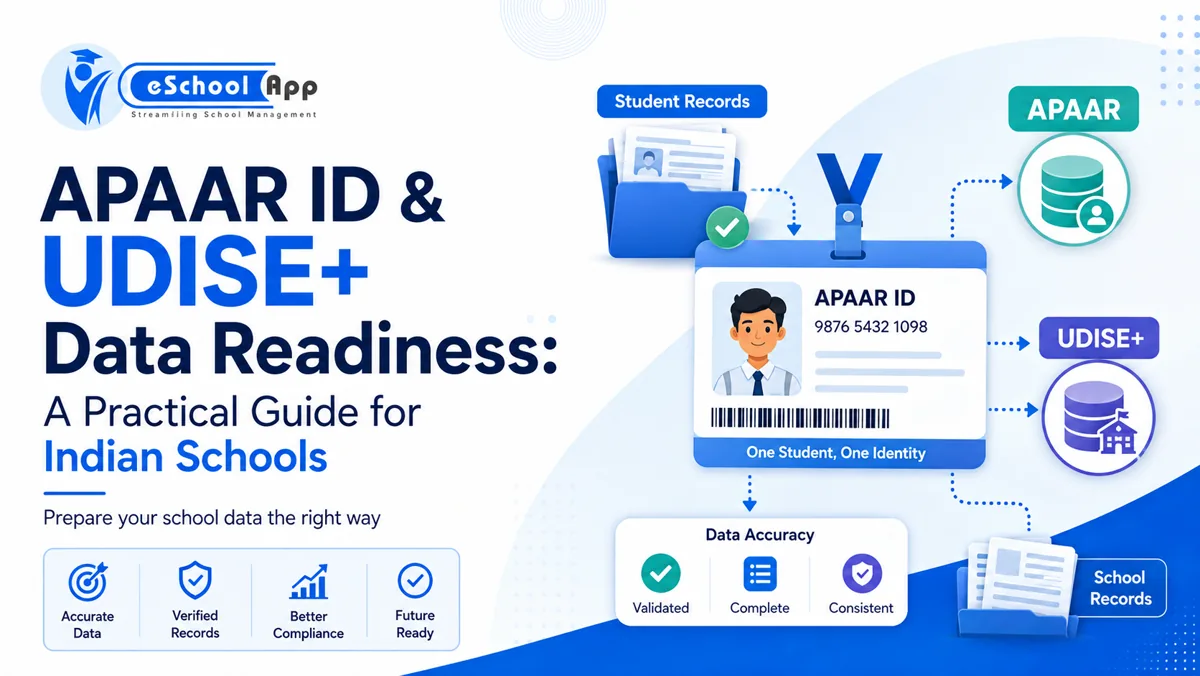
For Indian schools, student data is no longer used only inside the school office. The same basic record may be needed for school ERP, UDISE+, examinations, transfers, digital academic records and APAAR-related workflows.
That makes data consistency an operational issue, not just a data-entry issue.
A spelling difference in a student’s name, an incorrect date of birth, an outdated parent mobile number or a missing identifier can create delays later when records have to match across systems.
This guide explains how schools can keep student records ready for APAAR ID and UDISE+ processes without claiming that a school ERP automatically integrates with government portals. The goal is simpler: maintain a reliable source of school data so that official submissions and corrections are easier to manage.
On this page
- APAAR and UDISE+: What Schools Need to Understand
- The Real Problem: The Same Student Exists in Too Many Places
- Student Data Fields Schools Should Keep Consistent
- Create a Student Data Correction Workflow
- Run a Data Readiness Audit Before Submission Season
- How a School ERP Can Help Without Overclaiming Integration
- Data Privacy Matters More When Identity Data Is Centralized
- A Monthly Data Quality Routine for Schools
- Frequently Asked Questions
- Final Thoughts
APAAR and UDISE+: What Schools Need to Understand
APAAR stands for Automated Permanent Academic Account Registry. The official APAAR portal describes it as a unique 12-digit student identifier intended to support access to academic records across the education ecosystem.
The official FAQ states that a student’s UDISE+ Permanent Education Number (PEN) is required for APAAR generation and that the student’s name in UDISE+ should match the name used for Aadhaar-based verification. It also describes parental consent as part of the process for minors.
UDISE+ is the Government of India’s Unified District Information System for Education Plus. Schools use it to record and submit information across areas such as school profile, students, teachers and infrastructure.
Important: schools should always follow the current official instructions. APAAR policy and implementation have been the subject of continuing public and legal discussion, so do not convert a data-readiness checklist into an admission condition or a claim that every student must have an APAAR ID. Check the latest official guidance before publishing operational instructions to parents.
The Real Problem: The Same Student Exists in Too Many Places
Many schools have one student in five forms:
- Admission application
- School ERP
- Fee system
- UDISE+ record
- Examination or board records
If each system is updated independently, small differences accumulate.
One application may say “Aarav Kumar Singh,” another “Aarav K. Singh,” and another “Aarav Singh.” A corrected date of birth may be changed in the admission file but not in the ERP. A parent’s new mobile number may be updated in WhatsApp but not in the student database.
The solution is not to collect more data. It is to establish one authoritative school record, define who can change it and document how corrections flow to other systems.
Student Data Fields Schools Should Keep Consistent
The official APAAR FAQ lists information used in the APAAR process including the UDISE+ unique student identifier (PEN), student name, date of birth, gender, mobile number, mother’s name, father’s name, name as per Aadhaar and Aadhaar number.
Schools should therefore pay special attention to core identity fields. A practical data-quality checklist includes:
- Full student name
- Name as shown in the official identity source used for verification
- Date of birth
- Gender, where required by the official workflow
- PEN / UDISE+ identifier
- Parent or guardian names
- Parent or guardian contact number
- Admission number
- Current class and section
- Academic year status
- Address and contact details where required
- Supporting documents and correction history
The objective is not to put every possible document into one screen. It is to ensure that the fields used across multiple systems have controlled formats and reliable source documents.
Create a Student Data Correction Workflow
Data will change. A good system should make correction controlled rather than impossible.
A simple correction workflow can be:
Parent/guardian request → document check → authorized approval → ERP update → affected system update → audit note.
Avoid allowing every user to edit identity data. Teachers may need to see student names and parent contact details, but that does not mean they should be able to change date of birth, admission number or identity information.
For high-impact fields, keep a record of what changed, when it changed and who approved it. This becomes especially useful when a mismatch appears close to a submission deadline.
Run a Data Readiness Audit Before Submission Season
Do not wait for a portal deadline to discover data problems.
Run a periodic audit that checks:
- Students without PEN where the school expects it to be available
- Duplicate admission numbers
- Missing parent contact details
- Names with obvious formatting inconsistencies
- Date-of-birth mismatches between school records and supporting documents
- Students assigned to the wrong class or academic year
- Former students still marked active
- New admissions not yet reflected in the central student database
- Missing consent or supporting documentation where an official process requires it
The audit should produce an exception list, not simply a total. The purpose is to tell staff exactly which records need attention.
How a School ERP Can Help Without Overclaiming Integration
A school ERP can help by keeping student information structured, searchable and shared across school workflows.
For example, if the same student record is used for admissions, attendance, fees, examinations and communication, a correction made by an authorized user does not have to be retyped in four internal modules.
That does not automatically mean the ERP submits data directly to UDISE+ or generates APAAR IDs. Unless a vendor has a verified integration, schools should treat government portal submission as a separate official process.
The useful ERP contribution is data readiness: clean records, defined fields, exportable reports, controlled access and an audit trail of changes.
Data Privacy Matters More When Identity Data Is Centralized
Centralization is useful, but it also increases responsibility.
Identity records may contain personal information about children and parents. Schools should limit access by role, avoid collecting information without a clear purpose, protect exports, control who can download data and define how long documents are retained.
Do not circulate student spreadsheets casually through personal email or messaging groups simply because an official submission is approaching.
Our September guide on school data privacy and DPDP readiness goes deeper into these controls and should be linked from this article once published.
A Monthly Data Quality Routine for Schools
Data quality works best as a small monthly task rather than a large annual cleanup.
A practical routine is:
Week 1: Review new admissions and transferred students.
Week 2: Review identity-field changes and pending corrections.
Week 3: Check duplicate or incomplete records.
Week 4: Confirm that class, section and active/inactive status are correct.
Before major official submissions, run the full exception report again.
This rhythm also improves internal school operations because fees, attendance, communication and reports depend on the same core data.
Frequently Asked Questions
What is APAAR ID?
APAAR is a 12-digit student identifier described by the official portal as part of India’s digital academic record ecosystem.
What is PEN in UDISE+?
PEN is the Permanent Education Number used in the UDISE+ student system. The official APAAR FAQ states that PEN is a prerequisite for APAAR generation.
Does a school ERP automatically connect to UDISE+ or APAAR?
Not necessarily. Schools should ask the ERP vendor about the exact integration or export capability and verify it rather than assuming it exists.
What should schools do when names do not match?
Follow the current official correction and verification process. Internally, maintain a documented correction workflow and ensure the central student record reflects approved changes.
Should APAAR be used as a condition for admission?
Schools should follow current government and board guidance and should not turn an administrative data-readiness process into an unsupported admission requirement.
Final Thoughts
APAAR and UDISE+ make one thing very clear: student data quality matters beyond the school ERP.
The strongest preparation is not a last-minute portal exercise. It is maintaining accurate student records all year, controlling changes and making sure the school knows which system is the source of truth.
If your school is cleaning or restructuring student records as part of an ERP rollout, use the 30-day implementation checklist alongside this guide.