
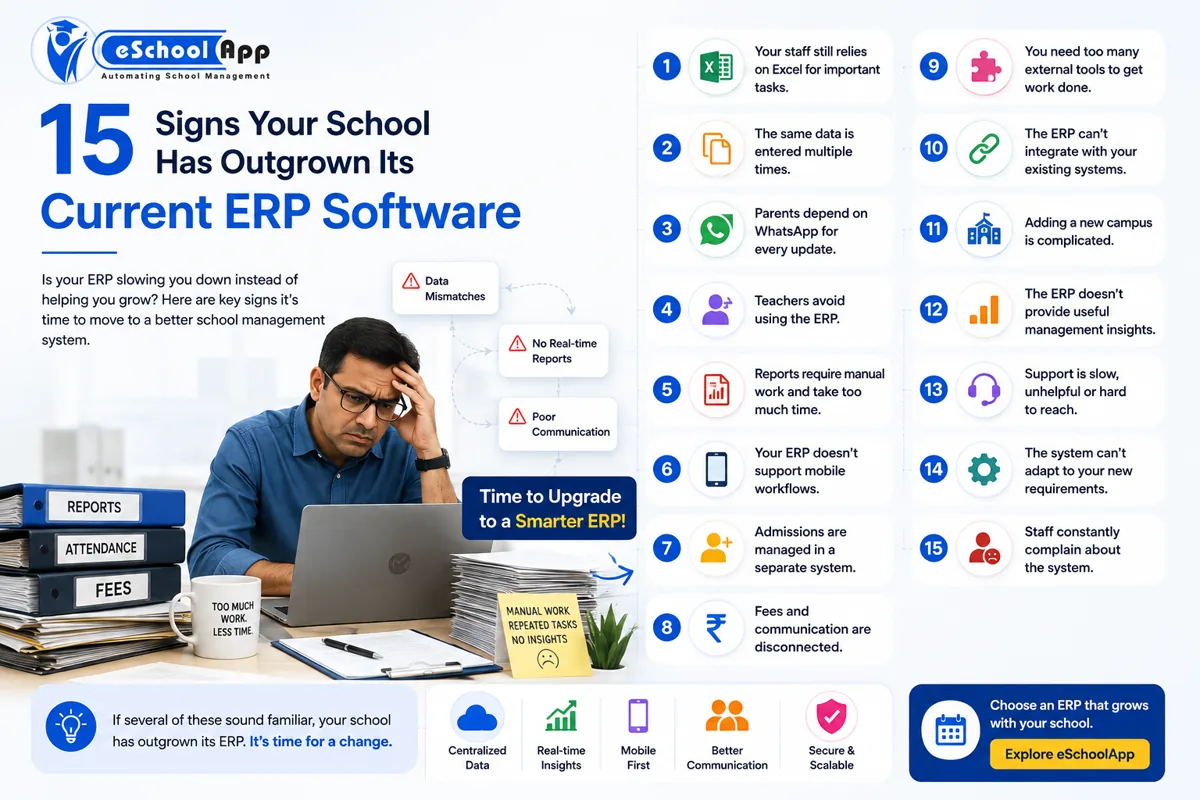
Introduction
Replacing a school ERP is not a decision most schools take lightly.
Once a system contains years of student records, fee information, attendance, examination results, and staff data, changing platforms can feel risky.
As a result, many schools continue using the same system long after it has stopped meeting their requirements.
Sometimes the problem is obvious. The ERP may be difficult to use, lack mobile access, or fail to support new workflows.
In other cases, the signs are less obvious. Staff may have started using Excel again. Teachers may maintain separate records. Parents may contact the school because information is not reaching them on time. Management may wait for administrators to prepare reports manually.
These are signs that the ERP may no longer be doing its job effectively.
1. Your Staff Are Using Excel Alongside the ERP
Excel is not the problem. Schools will always have legitimate reasons to use spreadsheets.
The problem starts when Excel becomes necessary to complete work that should already be handled by the ERP.
For example, fee reports are exported and manually corrected, attendance is maintained separately, admission leads are stored in Excel, staff information exists in different files, or management reports are prepared manually.
When this happens, the school effectively has two systems of record. That increases the possibility of inconsistent information.
2. The Same Information Is Entered Multiple Times
A well-connected ERP should reduce duplicate data entry.
If an administrator enters a student’s information into admissions and then staff have to manually enter the same information into another system, the integration is not doing its job.
Repeated entry also increases the likelihood of errors.
Ask: How many times does your team enter the same student information? If the answer is many, it may be time to reassess the system.
3. Parents Depend on WhatsApp for Everything
WhatsApp is useful for communication. But if parents have to message school staff personally to find out fee status, attendance, homework, timetable, exam results, or school notices, your digital communication process may not be organized enough.
The goal is not necessarily to eliminate WhatsApp. The goal is to ensure that important information originates from the school’s centralized system and reaches the right parent through the appropriate channel.
4. Teachers Avoid Using the ERP
If teachers consistently avoid the system because it is difficult to use, adoption is already becoming a problem.
A school ERP only creates value when people actually use it.
An easier interface can often be more valuable than dozens of additional features.
5. Reports Still Require Manual Work
Management should not need to wait several days for basic information.
If administrators must manually combine data from fees, attendance, admissions and academics before producing a report, the ERP may not be providing enough management visibility.
Look for systems that can provide reports from centralized information.
6. Your ERP Does Not Support Mobile Workflows
School operations are increasingly mobile.
Teachers move around classrooms. Parents use phones. Administrators may work from different locations. School leadership may want access to information without sitting at a particular computer.
Do not simply ask whether the vendor has a mobile app. Ask what teachers, parents, and administrators can actually do from it.
7. Admissions Are Managed Separately
If your website generates enquiries but those enquiries are manually copied into another application or spreadsheet, there may be a disconnect between your digital presence and admission process.
A connected workflow should ideally allow the school to manage:
Enquiry → Follow-up → Registration → Documents → Admission
This becomes especially important during admission season.
8. Fees and Communication Are Disconnected
Suppose a student’s fee is overdue. Ideally, the school should be able to identify the outstanding amount and communicate with the parent efficiently.
If the accounts team has to export data, prepare a spreadsheet, and separately send messages, the process is unnecessarily manual.
Integrated fee and communication workflows can reduce this effort.
9. You Need Too Many External Tools
Count the number of applications your school uses every day.
For example, one for fees, one for attendance, one for communication, one for admissions, one for transport, one for homework, one for staff management, and Excel for reports.
The issue is not that schools use multiple tools. The issue is whether those tools share data.
When they do not, staff often become the integration layer.
10. Your ERP Cannot Integrate With Existing Devices
Schools may already have biometric systems, RFID devices, GPS trackers, payment gateways, or other technology.
Replacing all of these simply because the ERP cannot integrate with them may be unnecessary.
Before replacing an ERP, identify which integrations are essential and confirm whether the new system supports them.
11. Adding a New Campus Is Difficult
Your ERP may have worked perfectly for one school. But what happens when you open a second campus?
Ask:
- Can campuses be managed from one system?
- Can management see consolidated information?
- Can each campus retain separate workflows?
- Can users be assigned to the appropriate school?
- Can reports be viewed individually and collectively?
Scalability matters.
12. Your ERP Cannot Provide Useful Management Insights
A modern ERP should do more than store information.
Management needs to understand what is happening: Are admissions increasing? What is the fee collection position? Which classes have attendance issues? What is student performance looking like? How many enquiries are converting to admissions?
A system that makes information available but difficult to interpret may need improvement.
13. Support Has Become a Problem
Even good software can become frustrating when support is poor.
Watch for slow responses, unclear answers, repeated unresolved issues, limited onboarding, no proper training, and no clear escalation process.
Support should be evaluated before switching, not after.
14. The ERP Cannot Adapt to New Requirements
Your school’s operations will evolve.
You may need new payment methods, a new communication channel, additional reporting, new integrations, new academic workflows, multiple campuses, or mobile functionality.
If every change requires a large custom development project, it may indicate that the platform is no longer the right fit.
15. Staff Complain About the System
Listen to recurring feedback.
If the same problems are mentioned by administrators, teachers, and parents, they deserve attention.
A single complaint may be a training issue. A pattern of complaints may be a platform issue.
On this page
- What Should You Do If Your School Has Outgrown Its ERP?
- How to Switch School ERP Safely
- Why eSchoolApp Can Be Considered When Replacing an ERP
- Frequently Asked Questions
- Final Thoughts
What Should You Do If Your School Has Outgrown Its ERP?
Do not immediately cancel the existing system.
First, conduct a structured review.
Step 1: Document current problems.
Step 2: Separate training issues from product limitations.
Step 3: Identify must-have features.
Step 4: Review existing data.
Step 5: Shortlist alternatives.
Step 6: Test real workflows.
How to Switch School ERP Safely
ERP migration should be planned.
A sensible sequence is:
Audit → Export → Clean → Map → Import → Verify → Test → Train → Go Live
Before migrating, decide what historical data must move, what can be archived, which student records are mandatory, who checks the migrated data, and when the old system will be retired.
Never assume that “data migration completed” means the data is correct.
Why eSchoolApp Can Be Considered When Replacing an ERP
eSchoolApp brings key school processes into one connected system, including admissions, student information, fees, attendance, examinations, transport, communication, staff, library, inventory, and reporting.
It also supports integrations for payment gateways, WhatsApp/SMS, biometric and RFID systems, and GPS devices.
For a school considering a replacement, the important step is not simply asking whether eSchoolApp has a particular feature. The better question is: Can it handle the complete workflow more simply? That is what should be tested during a demo.
Frequently Asked Questions
When should a school replace its ERP?
Consider replacing the ERP when it consistently creates manual work, has poor adoption, lacks essential integrations or cannot support the school’s current or future requirements.
Is switching school ERP difficult?
The difficulty depends on the amount and quality of data, integrations, and customization involved. Proper migration planning can significantly reduce disruption.
Can old student data be migrated to a new ERP?
Often, yes. The exact process depends on the source system, available exports, and the new platform’s import capabilities.
Should schools switch ERP every few years?
Often, yes. The exact process depends on the source system, available exports, and the new platform’s import capabilities.
Final Thoughts
The best ERP for a school is not necessarily the newest, cheapest, or one with the longest feature list.
It is the system that removes work instead of creating it.
If your staff is constantly using spreadsheets, entering the same information repeatedly, preparing reports manually, or working around the ERP, it may be time to evaluate alternatives.
Thinking about replacing your school ERP?
Book an eSchoolApp demo: https://eschoolapp.com/contact/