
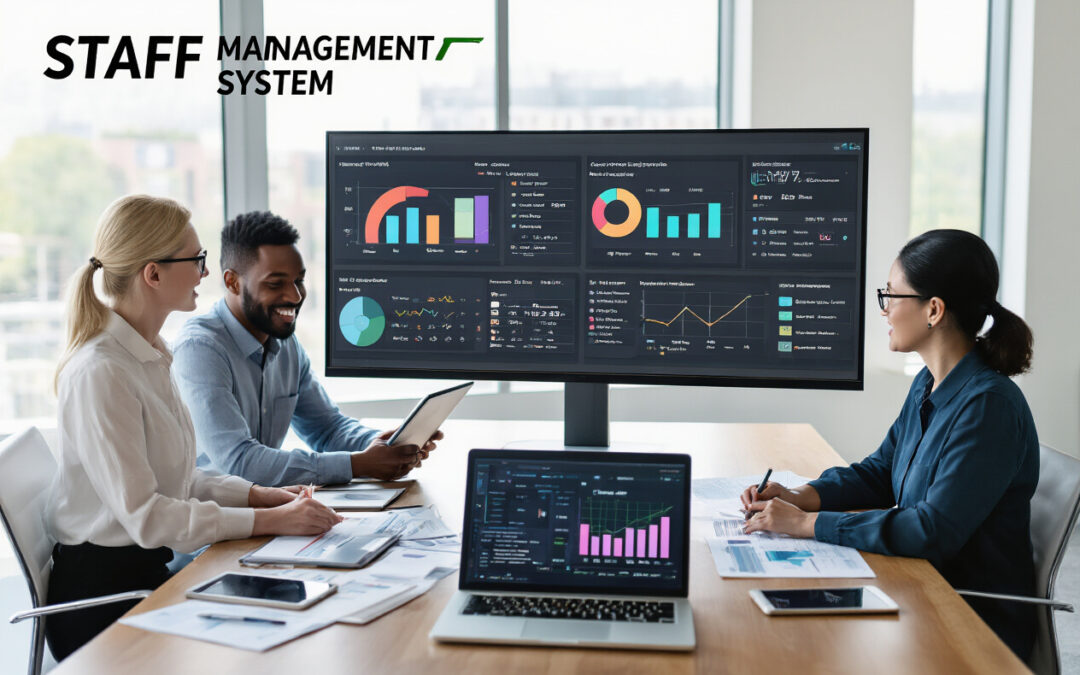
A staff management system assists schools in taking care of their staff and teachers effortlessly. It helps keep everything in order and manages everything from the schedules of work and attendance to assessing performance and managing pay stubs — all in one location.
With the eSchoolApp software for managing staff, schools can save time, streamline paperwork, and ensure that each teacher’s job is handled efficiently. It’s similar to having a smart assistant who helps principals as well as HR departments keep track of all the details.
This guide will explain the essentials of a great staff management system for staff, as well as how it helps schools run more smoothly, and also how to pick the most appropriate option for you and your institution. It also teaches you how to install it without halting the daily activities and observe how it enhances teamwork, time management, and school performance.
If you have the right system in place, your school can operate better, not harderand be more focused on learning and teaching.
Author: Sapna K
What is the Staff Management System for Schools?
The staff management system for staff is a sophisticated digital tool that allows schools to keep everything relevant to their staff and teachers all in one location. Through these systems, schools are able to easily keep track of teacher records, verify attendance, create timetables, and even manage the cost of salaries – all in only one or two clicks.
Instead of putting information in files or books, schools can utilize to use the eSchoolApp to manage their staff Management System to save time, prevent mistakes, and make the daily routine more efficient and speedier. It aids schools in keeping their work organized and allows teachers to concentrate more on teaching and less on paperwork.
Understanding Staff Management Systems and Their Core Benefits
Staff Management System for Staff Management aids offices and schools in managing their staff simply and efficiently. Employers can track who is working as well as track their performance and create schedules quickly.
Imagine a modern workplace where everyone is productive. The manager is checking the data of staff members on tablets, employees work on their computers, and an HR specialist manages employee data on digital devices. The office is bright, clean, and organized, with modern design and glass partitions. This demonstrates how a well-designed Employee Management System can help employees work more easily, faster, and more efficiently.
Key Benefits of a Staff Management System:
1. Maintain Employee Information in order and easily accessible:
A modern system for managing staff helps businesses and schools keep employee data all in one location. Instead of messy spreadsheets and files, HR management systems save personal information, including contact information, as well as performance records, certificates of training, and pay information securely in one system.
Managers can quickly view employee profiles, review balances on leave, or confirm certificates without navigating through multiple documents. With the employee management software, crucial information is secure, while managers can access the information they require.
The process of searching for information becomes easy. For instance, if you are looking for employees who have been certified in safety, the system will show results within seconds. This reduces time, decreases errors, and makes the job significantly easier.
2. Automate time-consuming tasks:
Tools for managing your workforce can cut down on repetitive tasks that consume much of your time. Requests for timesheet approvals, leave requests, and schedule adjustments are sent automatically to the appropriate manager, and changes are made instantly.
Software for scheduling staff allows you to create schedules based on the employee’s abilities, availability, and requirements for work. Managers only need to set rules and the system will do the rest, making sure there are no conflicts and overtime issues.
The integration of payroll software makes calculations performed automatically, which reduces mistakes and saves time.
3. Improve Communication between staff and managers:
Easier communication between staff and managers can hinder the pace of work and decrease employee satisfaction. Human Resource Management platforms help in this regard by providing employees and managers with clear ways to exchange information.
Managers can communicate company updates, messages to departments, updates for the company, or announcements that are specific to the department effortlessly. Employees receive notifications through the system, mobile apps, or by email.
Two-way communication allows employees to make inquiries, offer feedback, or discuss concerns. Everything is recorded, allowing managers to respond more quickly. The quick messaging reduces the number of emails received.
4. Make better decisions with the help of real-time Information:
Staff management tools give managers real-time data on the productivity of employees, attendance overtime, satisfaction of employees. Dashboards help you detect patterns that could be missed if not.
For instance, managers could be aware of which departments have the highest turnover or when overtime levels are high. Employee tracking systems can also assist in predicting the future needs for staff, avoiding problems, and help make better decisions prior to issues occurring.
Essential Features That Transform Workplace Efficiency

1. Employee Database Management and Profile Tracking
With the help of staff management systems such as eSchoolApp, the entire employee’s information is kept in a secure space instead of scattered documents or spreadsheets. Its Employee tracking system maintains detailed profiles that include personal details, job background, experience, and certificates. This makes it simple for HR to locate the correct details during promotions, hiring, or audits.
The system updates profiles automatically after a person completes training or earns a certification, or changes their role. It even tracks progress in career development and soft skills, assisting managers in identifying talented employees to be considered for promotion.
The smart search and filtering tools allow HR to quickly identify individuals with specific abilities or availability. This reduces the time spent on manual labor and helps ensure that the correct personnel are picked to work on projects or transfers.
2. Automated Scheduling and Shift Management
Staff scheduling software makes creating work schedules simple. It considers the availability of employees and skills, as well as labor rules and budget limitations, to create the perfect roster. This could reduce conflicts with scheduling by as much as 85 percent and ensure that every department is adequately filled with employees.
Employees can switch shifts and request time off via mobile applications. The system automatically locates suitable replacements and informs managers. This helps HR save time and ensures that employees are happy.
Predictive tools show upcoming busy times based on past data and trends. This can help restaurants, stores, or hospitals make plans for the future, prevent understaffing, and control costs for labor effectively.
3. Performance Monitoring and Evaluation Tools
Employee management software keeps track of performance throughout the year, not only in annual reviews. It keeps track of performance, goal achievement, as well as feedback from customers, so managers can provide fair, real-time feedback.
Goal-setting tools can align the work of employees with the company’s priorities. Employees can track the progress they have made, be reminded of their tasks, and recognize their accomplishments. This can boost motivation and solve problems quickly.
360-degree feedback collects the opinions of supervisors, peers, and colleagues. The system is anonymous and highlights areas for improvement, providing a full overview of the performance of employees.
4. Payroll Integration and Benefits Administration
A reliable HR management system automates the calculation of hours, overtime, as well as deductions. This helps ensure payroll accuracy and helps avoid mistakes.
Employees have access to self-service portals to review benefits, choose options, view benefits, and keep track of the use of their benefits. The system manages complicated calculations for retirement insurance, health insurance, or flexible savings accounts. Enrollment is easy with automatic reminders.
The laws governing labor and taxation are automatically updated within the system. Forms are produced and reports are submitted. Compliance is maintained, shielding the company from fines.
5. Leave Management and Attendance Tracking
Workforce management tools help you track attendance through mobile check-ins and biometrics, as well as GPS verification. Breaks, hours worked, and overtime are all automatically calculated, which improves the accuracy of your payroll.
The requests for leave for sick, vacation, or family leave are processed automatically. The system monitors rules, makes updates to balances, and ensures sufficient coverage before the final approval. Employees are able to view their leave status live in real-time.
Advanced analytics detect attendance issues quickly, such as frequent absences or lateness. Managers can take action quickly and keep employees on the right track, while also ensuring compliance with labor laws.
Selecting the Right System for Your Organization’s Needs
The selection of the right employee management system for your business is crucial. Imagine a group meeting in a contemporary, bright office. A HR director and a managing director are seated together, looking through laptops and tablets that display the various options for software. They have documents and charts on the table for comparing the various systems.
This clip shows how experts take careful consideration to choose the right software for their employees. A well-designed software for HR or employee management programs can help track attendance, organize tasks, and keep things organized. Through a thorough review of all options, businesses can select a solution that saves time, decreases errors, and makes life more efficient for everyone.
1. Know Your Current Workforce and Future Growth
Before you decide on a system to manage staff, it is important to consider how many employees you currently have and the way your team could increase in size. Smaller businesses with between 10 and 50 employees require distinct features from a firm with thousands of employees spread across multiple sites. The size of your team will help you select the employee management software that delivers the most effective results.
Create an inventory for all staff members, which includes part-time employees, full-time employees, contractors, and seasonal employees. This will give you a clear idea of the HR tools your system should have.
The thought of the future is equally crucial. If you’re planning to double your team over the coming two years, you should choose an application that will adapt to your needs. A lot of companies choose software for their current needs, but then exceed their capacity, resulting in additional costs and stress.
Consider the ways your business is growing. Are you planning to hire remote employees? Set up new offices? Go international? Every option requires specific tools. Remote teams require reliable tools for time tracking and communications, and multiple locations require centralized reports as well as local tools for compliance.
Create a three-year program for your team. Include busy times planning for hiring, as well as the possibility of downsizing. This guideline helps you choose software to manage employees that is able to adapt to the changing demands of your business without any additional cost or large system adjustments.
2. Understand Your Budget and ROI
When selecting the right workforce management system to manage their workforce, the majority of people consider the upfront price. However, the true worth lies in efficiency and savings over time. Buyers who are smart think about everything – the cost of setting up, continuing support, training, and additional features when your company expands.
The majority of software for managing staff has different plans, based on how many of employees or the features offered. Simple plans may appear to be inexpensive; however, they usually lack crucial tools such as high-end reports and mobile accessibility, and software-based integrations. Mid-tier plans generally offer the most balance between price and features, particularly for growing teams.
To determine how to calculate your return on investment (return to the investment), think about the issues that your current system is causing. Are managers wasting too much time with manual scheduling? Do you think payroll is taking up a lot of HR’s time? Do you think that a lack of real-time data leads to poor decisions? It is also possible to estimate the cost of these errors by calculating the amount of time and money. This will allow you to understand the amount of time and money this new system will save.
| Cost Factor | Consideration |
|---|---|
| License fees | Per user or flat rate |
| Implementation | Set up and data migration |
| Training | Staff onboarding time |
| Support | Ongoing technical assistance |
| Customization | Workflow modifications |
| Integrations | Third-party connections |
Do not overlook additional expenses such as the transfer of old data onto your new computer, creating customized reports or purchasing additional hardware. Request from vendors a complete price breakdown, and if prices will increase when your business expands.
3. Check How It Works With Your Existing Software
Your staff management system doesn’t work alone. It must be able to seamlessly connect with the tools that your business already has in place, such as accounting software, payroll software, project management applications, or communication platforms. If it’s not it, you’ll be faced with a lot of work, lost data, and dissatisfied employees.
Take a look at all the software you use in your company that handles employee information. The employee tracking system must be able to connect to these applications through built-in integrations or APIs.
Different businesses have different requirements:
- Retail shops require a strong connection to point-of-sale systems to schedule and track sales.
- Service businesses require Integration with tools for project management to allow billing and time tracking.
- Manufacturing companies require connections to ERP systems to plan production and coordinate workers.
If you’re looking at a new computer, ask the vendor to demonstrate live how it interacts with other programs. Don’t rely on promises; see it in the action. Certain systems might require costly custom work to get everything to work.
Consider the future as well. If you are planning to integrate new software, such as CRM, or update your accounting software, be sure that your employee management system is compatible with these tools. The best software, like eSchoolApp, has APIs that are open, allowing you to connect to other tools quickly.
Features such as one-sign-on help make life easier. Employees are able to sign in one time and connect to all systems while IT teams benefit from more security and central control.
Implementation Strategies That Guarantee Success
At eSchoolApp, we know that implementing a plan effectively requires working together and having clearly defined steps. Imagine a modern and bright office where a team of professionals from the business world is working together. There’s a supervisor as well as an HR director and an IT expert, and all are seated around an uncluttered wooden table, surrounded by laptops and documents. They are studying diagrams and flowcharts on a large screen and are planning meticulously to make sure that everything runs smoothly. The room has large windows that let in sunlight, plants, and contemporary furniture, making the room feel fresh and professional.
1. Create a Clear Staff Training Plan
Training is essential for a smooth implementation to new technologies. We at eSchoolApp we suggest that you start with the most knowledgeable employees. These employees can then become your internal co-sponsors who can help other employees learn the brand new employee management softwar.
Training should be simple and centered. Instead of demonstrating each feature in a single session make small-sized lessons on which team members is likely to use each day. Utilize real-world examples from your own school instead of generic tutorials. Screen demos can be recorded using your own information or create quick-reference cards to typical tasks and pair experienced instructors with novices.
Plan training sessions when the workplace is peaceful, not during hectic periods. Combine hands-on training with the routine situations that employees are faced with. Be aware that different people learn differently. Some prefer step-by-step instructions, while others learn best by playing around with things safely.
Following the steps above, you employees will soon become comfortable working with workforce management tools and will experience an easier, less stressful transition.
2. Plan Data Migration and Test Your System Carefully
The transfer of your personal data among the most crucial aspects in the process of setting up an effective staff management system for staff management. Make sure you’ve checked the data in your current system and fixing any errors prior to shifting it into an updated system. Create a simple chart that shows how your previous data will work with your current HR management system.
Set up the space for testing in a secure manner in which both systems can be used simultaneously. This allows you to spot any errors early, and helps your employees feel comfortable with your new program. Make sure you test everything thoroughly. For example, recording employee hours or planning schedules based on real data, to ensure that nothing is broken.
Note down all of your test actions and outcomes in a clear manner. If anything goes wrong this information will help the support team resolve it quicker. Make an emergency backup plan in order that you are able to return to your older system quickly in the event that you encounter major problems once you first start with the brand new one.
3. Encourage Users and Provide Strong Support
People are prone to being resistant to change, so make sure you plan it carefully. Provide incentives to employees who are with the latest employee tracking system early and then share their successes with the entire company. It is possible to make it more enjoyable by incorporating competitions, games, or badges for employees when they discover new features in the program.
Be sure that help is easy to access. Don’t solely rely on IT ticketing. Friendly helpers are on hand in the beginning to answer any questions. Create video tutorials for the most common issues. Keep a library shared by employees where they can get answers at any time.
Engage with employees candidly. Some employees may be concerned about the possibility that the workforce optimization software will be able to monitor their work too closely or impact their work. It is important to explain that the system is intended to help all employees perform better rather than to eliminate jobs. Regular reviews can help employees feel secure and more comfortable working with the software.
4. Set Realistic Timelines and Milestones
If you are using staff management solutions, like eSchoolApp generally takes about 3-6 months to get everything set up correctly. The length of time will depend on how large your company is and how complicated your requirements are. If you try to complete the task in a hurry could make it difficult for employees to utilize the system in a proper manner.
Start with the basics first, such as managing employee data, then adding more advanced features such as performance tracking. Break the work up into stages by defining clear steps. For instance:
- The first week of the Create login profiles, as well as employee profiles
- Week 2: Keep track of attendance as well as time
- Week :3 Discover advanced report-writing
Each step should be defined with clearly defined goals and approved by the appropriate individuals. The small victories that are celebrated keep everyone on track and help avoid confusion.
It is advisable to include extra time in your schedule in case of unexpected issues. Sometimes, vendors experience problems with their technology, delays arise, or employees may not be readily available. Make a plan for 20-30% more time and discuss this with your management. Better to complete your work early rather than constantly be in a hurry.
Also, monitor progress every week with reports that highlight the number of employees making use of the software, what features are in high demand, and what assistance is required. These easy steps will ensure that everyone is familiar with the system and can benefit from the staff management solutions completely.
Measuring Impact and Maximizing Return on Investment
In eSchoolApp, we at eSchoolApp assist schools in determining how their software and tools work. Imagine a modern workplace where everyone works together to comprehend the data. Analysts and managers are seated at tables, watching laptops and tablets that are filled with colorful graphs, charts, and numbers that illustrate how much they’re earning from their investment. A wall-mounted huge screen shows bright, clear charts with vital performance data.
This set-up illustrates how teams are able to evaluate their results in a clear manner as well as make informed choices. By determining which strategies and tools yield the most effective outcomes, schools will be able to save time, save money, and enhance learning for all students. All of the information is arranged in a tidy, bright, welcoming office. This makes it simple to concentrate on the process of planning and analyzing the data.
Key Benefits:
- Find out which tools provide the greatest results
- Make smarter choices with precise facts
- Save time and boost school performance
- Take action and plan based on information promptly
Through eSchoolApp, schools can convert information into action and make the most benefit from their investment without stress or confusion.
Track Key Performance Indicators and Productivity Metrics
Keep track of key performance indicators (KPIs) and productivity
Using an effective staff management software, such as eSchoolApp, can help you understand how your team is performing. Before you begin, note the current figures so that you can compare them and observe improvement in the future. Consider important factors such as how quickly tasks are completed and how efficiently staff members work if projects are completed within the timeframes set.
The employee management software can provide real-time data about attendance, habits at work, and quality of work. It can show the amount of time you save on paperwork, how fast new employees get their jobs, and if their schedules are more precise. Many companies and schools notice that the productivity of employees increases by 15 to 25% within a short period of time when they implement tools to manage their workforce.
Additionally, you can create dashboards that display all the important data in one location. Dashboards can help you understand how each team member is performing, identify issues in workflows, and identify opportunities to enhance. The data you obtained from your Human Resource Management System assists you in making smart decisions regarding personnel and resources.
Monitor Cost Savings from Reduced Administrative Overhead
Administrative tasks such as manual timesheets, paperwork, and repetitive approvals consume a significant amount of time and cost. With workforce optimization software provided by eSchoolApp, schools can decrease the amount of work they have to do and reduce costs. A lot of schools discover that the HR management system can be paid for because it reduces administration costs.
Here’s how to monitor cost savings in various areas:
1. Payroll Processing: Automated timing and wage calculation make it easier to avoid mistakes and help speed up the process of paying. Schools could save up to 80 percent of the time that is spent on payroll.
2. Compliance Management Tools for compliance built-in help schools adhere to rules with ease and lower legal costs.
3. Document Management: Digital storage and automated record-keeping reduce filing and paper costs.
4. Communication Efficiency: Integrated messages and notifications cut down on the necessity for lengthy emails and meetings.
5. The smart scheduling of staff can help meet the needs of the staff. This can reduce the need for the need for overtime and extra hours and can cut the costs of labor by 10-20%..
Utilizing eSchoolApp’s scheduling and HR software, schools can cut down on time, cut costs, and focus on student learning.
Evaluate Employee Satisfaction and Engagement Improvements
The measurement of customer satisfaction will help you assess how well your management system is in place. It is possible to measure this by conducting simple surveys on the satisfaction of employees at work and how stressed they are and how happy they are in their work. A well-designed management system for staff will improve employee satisfaction since it ensures fairness and clarity particularly with regards to scheduling and feedback on performance..
Monitor engagement through multiple channels:
| Metric Type | Measurement Method | Target Improvement |
|---|---|---|
| Job Satisfaction | Quarterly surveys | 15-20% increase |
| Turnover Rates | Monthly tracking | 25-30% reduction |
| Absenteeism | Daily monitoring | 20% decrease |
| Internal Promotions | Annual review | 40% increase |
Tools for productivity of employees that allow employees to manage the schedule of their employees, ask for time off and monitor their performance makes a significant impact. When employees can accomplish these tasks without waiting around or asking several individuals to do it, they feel more at ease and are more content at work. The workplace is more friendly and decreases miscommunications between employees and managers.
Regularly collecting feedback with tools for managing workforce helps you determine what’s effective and what could be enhanced. In this way your system continues to improve and get better, ensuring that employees feel appreciated and respected.

A good staff management system can completely change how your business runs day-to-day. These tools help you track employee schedules, monitor performance, manage payroll, and keep everyone on the same page. When you pick the right system and set it up properly, you’ll see fewer scheduling conflicts, better communication between teams, and more accurate payroll processing. Your employees will appreciate the transparency and easier access to their work information, too.
The key is choosing a system that fits your company’s specific needs and making sure your team knows how to use it well. Don’t just focus on the fancy features – think about what problems you’re trying to solve. Once everything is up and running, keep an eye on how it’s working and make adjustments as needed. A well-chosen staff management system isn’t just a nice-to-have tool – it’s an investment that pays off through better productivity, happier employees, and smoother operations across your entire organization.
Conclusion
The staff management system for staff management is more than software. It’s a useful device that will help to reduce time, eliminate errors, and keep the staff and the managers satisfied. With features such as the ability to schedule, pay as well as attendance monitoring, the software can help firms run smoothly. The best employee management software enhances productivity, communication and can make the working day more enjoyable for everyone, whether working in a small or in a large company. Picking the right software from eSchoolApp is not only a method of saving time and money, but also an investment in longevity and growth.
FAQ’s
Q.1: What is a Staff Management System?
Ans: Software that manages employee data, schedules, and payroll in one location is called a Staff Management System.
Q.2: How does a Staff Management System help businesses?
Ans: Automating tasks such as leave requests, payroll, and attendance tracking saves managers time so they can concentrate on growth rather than paperwork.
Q.3: Is a Staff Management System useful for small businesses?
Ans: Yes, even small businesses can benefit from it. It enhances communication and employee management.
Q.4: Can a Staff Management System improve employee satisfaction?
Ans: Yes, Employees can easily view their schedules, request leaves, and receive updates. It makes the workplace transparent and fair.
Q.5: What features should I look for in a Staff Management System?
Ans: Features include automatic scheduling, payroll integration, and leave tracking.